

LFEM
Model, solve and explore your structures on desktop and mobile, with a local engine and an optional specialized LFEM Agent.


Overview
LFEM is built on modern element formulations: Timoshenko beams with full shear deformation, and MITC3/MITC4 shells free of shear locking. These elements give accurate results on thin and thick structures alike, without numerical pathologies.
Beyond linear statics, LFEM covers modal analysis, spectral response and buckling, as well as more demanding calculations: material and geometric nonlinearities, phased construction with arbitrary structural state changes and rheological laws for creep and shrinkage, and automated road and rail moving load sweeps for extreme effect extraction.
LFEM is optimised at every level: assembly, solving, operational search, display and export. Its shared numerical core powers interfaces designed for Windows, macOS, iPhone and iPad.
Preview
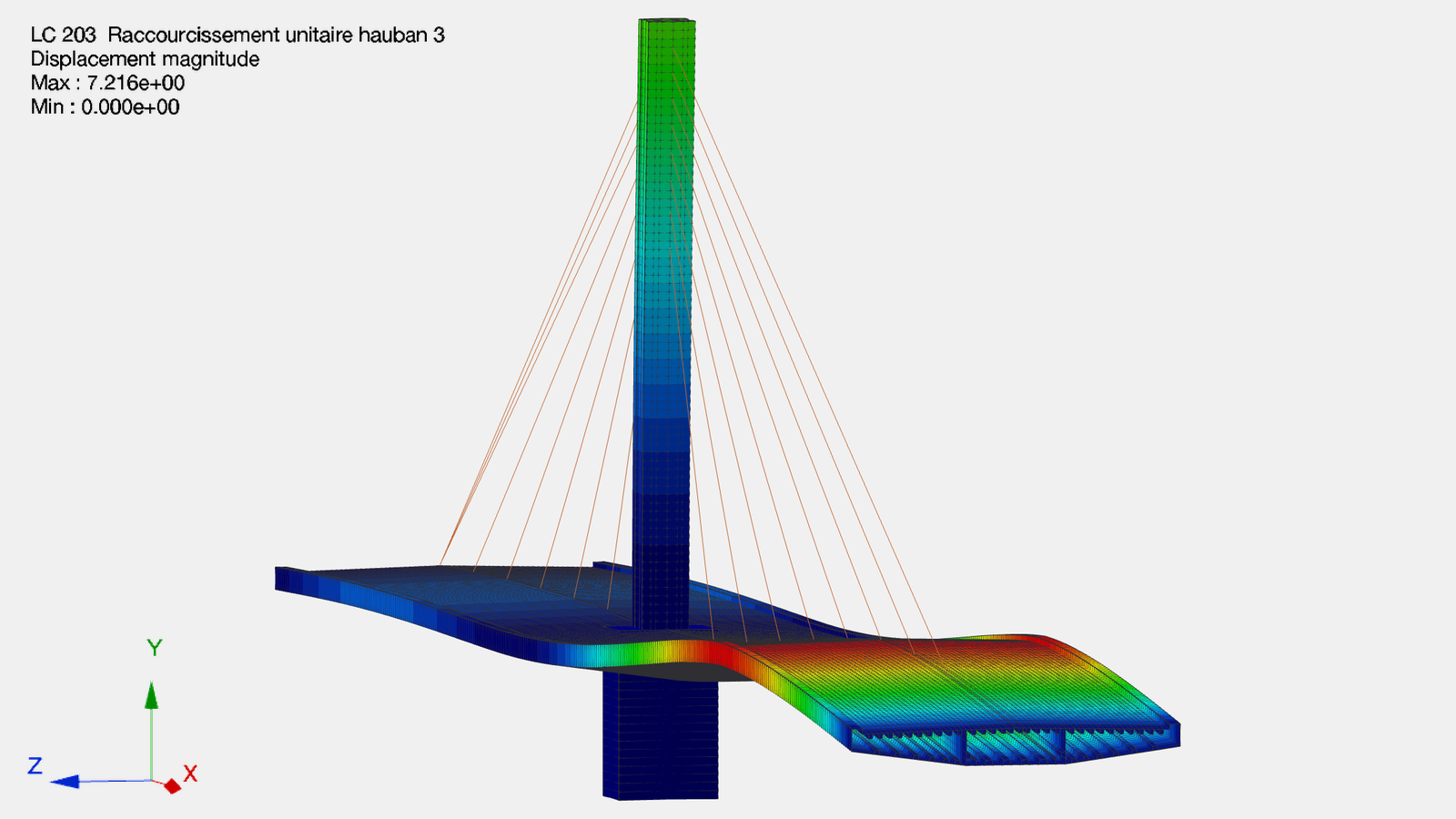
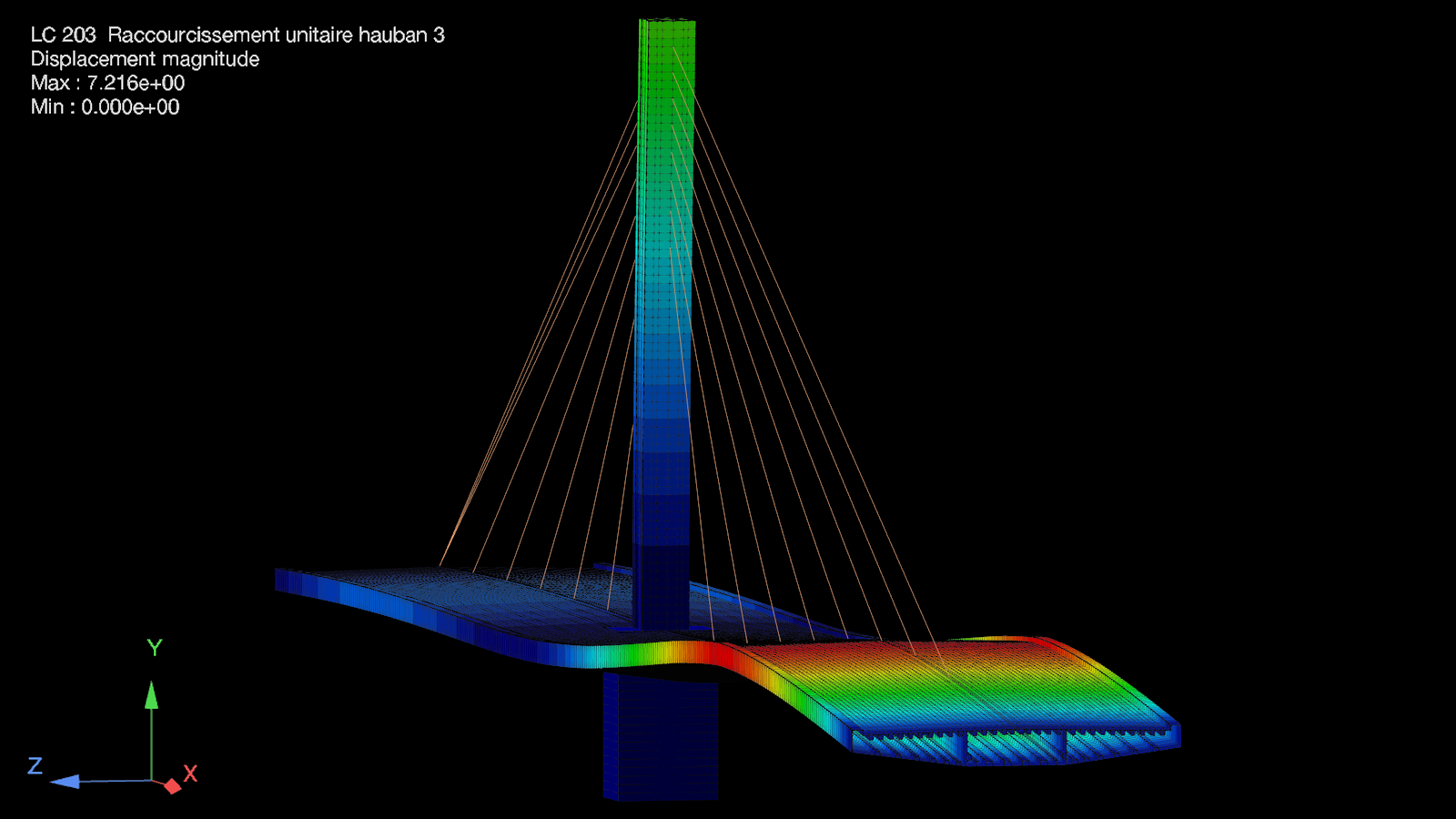
Cable-stayed bridge
Steel-framed deck suspended from a pylon by stay cables. Deformation under a unit cable shortening: one step of stay-tension tuning. Displacement isocolors.
Finite elements
3D Timoshenko beam
12 DOF, constant or variable cross-section, shear-locking free, arbitrary orientation.
MITC4 / MITC3 shell
Quadrilateral and triangular Reissner-Mindlin elements, shear-locking free.
Cables & bars
Uniaxial element carrying axial force only (3D truss bar), with optional tension-only nonlinear behaviour for cables and stays.
Prestress
Pre-tensioning and post-tensioning, internal or external tendons, arbitrary tendon profile, instantaneous and long-term losses.
Rigid link
Rigid-body kinematics: master-slave constraint between nodes.
Spring link
6 independent stiffnesses between two nodes, optional nonlinear laws (elasto-plastic, gap, bilinear, friction).
3D solid elements
TET4/TET10, PENTA6/PENTA15 and HEX8/HEX20 volume elements, with automatic tetrahedral meshing and prismatic or hexahedral extrusion.
Boundary conditions
Rigid supports
Degree-of-freedom restraints: fixed, pinned, sliding.
Elastic supports
Spring stiffness in translation and/or rotation on each degree of freedom.
Matrix supports
Full 6×6 stiffness matrix at the node, with coupling between degrees of freedom.
Beam and shell on elastic foundation
Winkler foundation: distributed soil springs, constant or depth-varying reaction modulus.
Nonlinear supports
Nonlinear force-displacement laws: gap, elasto-plastic, bilinear, friction.
Analysis types
Linear static
Load cases, combinations and result envelopes, within linear elasticity.
Moving loads
Automatic influence lines, concomitant max/min envelopes.
Phased construction
Element activation/deactivation, scientific creep and shrinkage, cable tensioning.
Modal analysis
Natural modes, frequencies and effective modal masses.
Spectral seismic
Modal spectral analysis, modal and directional combination.
Geometric nonlinearity
Second-order analysis: large displacements and large rotations.
Material nonlinearity
Nonlinear section behaviour coupled with SectionPro: moment-curvature laws and tangent stiffnesses.
Buckling (Euler)
Critical loads and buckling modes: stability analysis.
3D solid mechanics
Volume, surface, pressure, edge and thermal loads, stress recovery and N–V–M resultants on solid cuts.
Quality of life
Auto-meshing
Automatic discretisation of beams, polygonal shell zones and 3D volumes, including tetrahedral meshes and prismatic or hexahedral extrusions.
Parametric models
Variables, loops and conditionals describe complex geometry in a compact text file, easy to version and reuse across projects.
Real-time 3D viewer
Interactive 3D model and results (rotate, pan, zoom, preset views), updated live as you edit.
Results visualisation
Multi-palette isocolors, deformed shape, internal-force diagrams, reactions, solid stress fields, N–V–M cuts and min/max envelopes.
Smart editor
Validation on run: errors and warnings pinpointed by line, plus syntax highlighting and keyword auto-completion.
AI assistance
A dedicated LFEM skill helps the user's AI agents accelerate model setup, prepare and run solves, interpret diagnostics and correct errors.
Section library
Coupling with SectionPro: mechanical-property computation, 3D solid rendering of sections, and a thin-walled section solver.
Pricing
Free
Free for smaller models. No time limit.
€0
No time limit
- Up to 100 nodes and 100 finite elements
- 5 standard cases, 2 moving-load cases and 3 phases
- Local modelling, solving, results and exports
- No account required for local features
Need more capacity? Start a one-time 30-day Full Trial: up to 1,000 nodes and elements, no card required.
Monthly
Full capacity with a flexible subscription.
€49 / month
€29 / month
For the first 3 months, then €49/month. Cancel monthly.
- Commercial use and full local capacity
- All updates while subscribed
- Monthly LFEM Agent usage included
- 1 Desktop + 1 Mobile
Annual
The best value for regular use.
€399 / year
€249
First year, then €399/year.
- Commercial use and full local capacity
- All updates while subscribed
- Monthly LFEM Agent usage included
- 1 Desktop + 1 Mobile
Perpetual
Works indefinitely offline after installation and activation.
€999 one-time
€699
One-time launch price.
- Commercial use and full local capacity
- Permanent use of acquired local features
- Bug and security fixes included
- 12 months of new features and LFEM Agent
Optional maintenance after 12 months: €199/year. Resume at any time with no back fees.
Reference web prices in EUR, excluding tax where applicable. Personal licence: 1 Desktop (Windows or Mac) + 1 Mobile (iPhone or iPad). Store prices use local currencies, taxes and price tiers.

LFEM AGENT
An agent specialized in LFEM syntax and operation.
Describe the structure you want to model or the problem you are facing. LFEM Agent assists you in creating or modifying the model, explaining commands, running the solver, diagnosing errors and working with the results.
Assisted model creation
Describe the structure, materials, supports, loads and analyses you need. The agent assists you in building a complete and editable .lfem model.
Review and verification
Checks the model structure, links between its objects, materials, sections, supports, loads and analysis choices, then reports inconsistencies and missing data.
Help and explanations
Explains LFEM syntax, modelling options, diagnostics, units and how to read the results.
Diagnosis and targeted repair
Validates the model, runs the solver, locates blocking errors or instabilities and proposes the necessary corrections.
Results post-processing
Navigates dense output to extract useful results, identify governing cases, compare phases and produce targeted PNG graphics.
Frontier AI models
LFEM Agent uses frontier models that also understand civil engineering, supplemented by specialized knowledge of LFEM syntax and operation.
LFEM Agent is optional and requires an internet connection. Every user receives an initial credit that can be refilled once depleted. Artificial intelligence can make mistakes: verify its outputs and correct them when necessary.